Settings: Global Website Information Follow
Introduction
The Global Website Information page is where you can input all the important information about your venue. This information will be displayed in the locations section of the main Zero Latency Website.
Who can use this feature?
Any user that has access to the "Global Website Information" user permission can use this feature.
If you do not have access to this feature, please speak to your Operations Manager.
How do I set up the Global Website Information?
Training Videos
- Click on the play button to watch the Global Website Information video.
Info
To view the chapters and timestamps, please watch this video directly on YouTube.
How do I access this page?
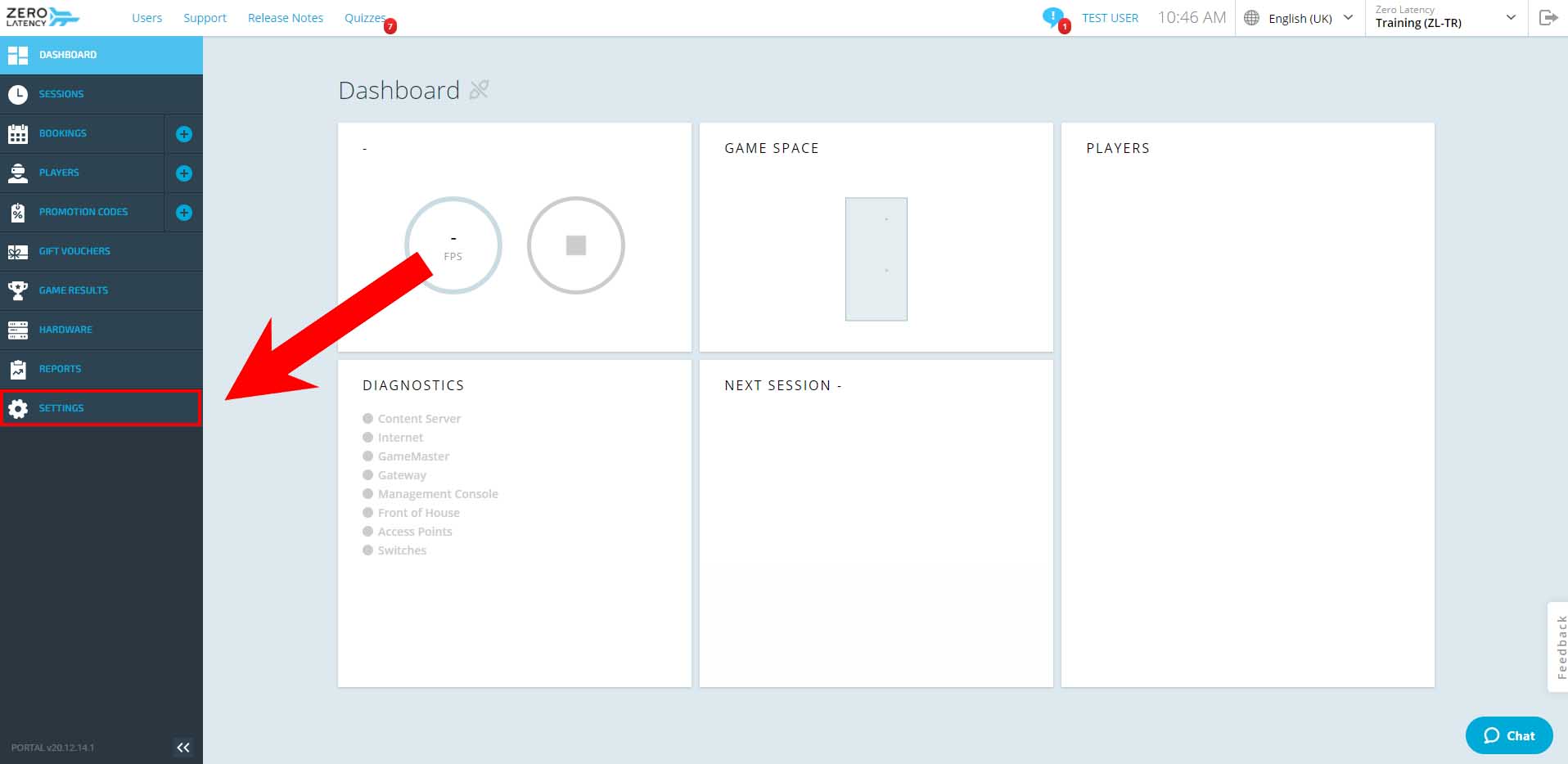
- Click the "Settings" button.
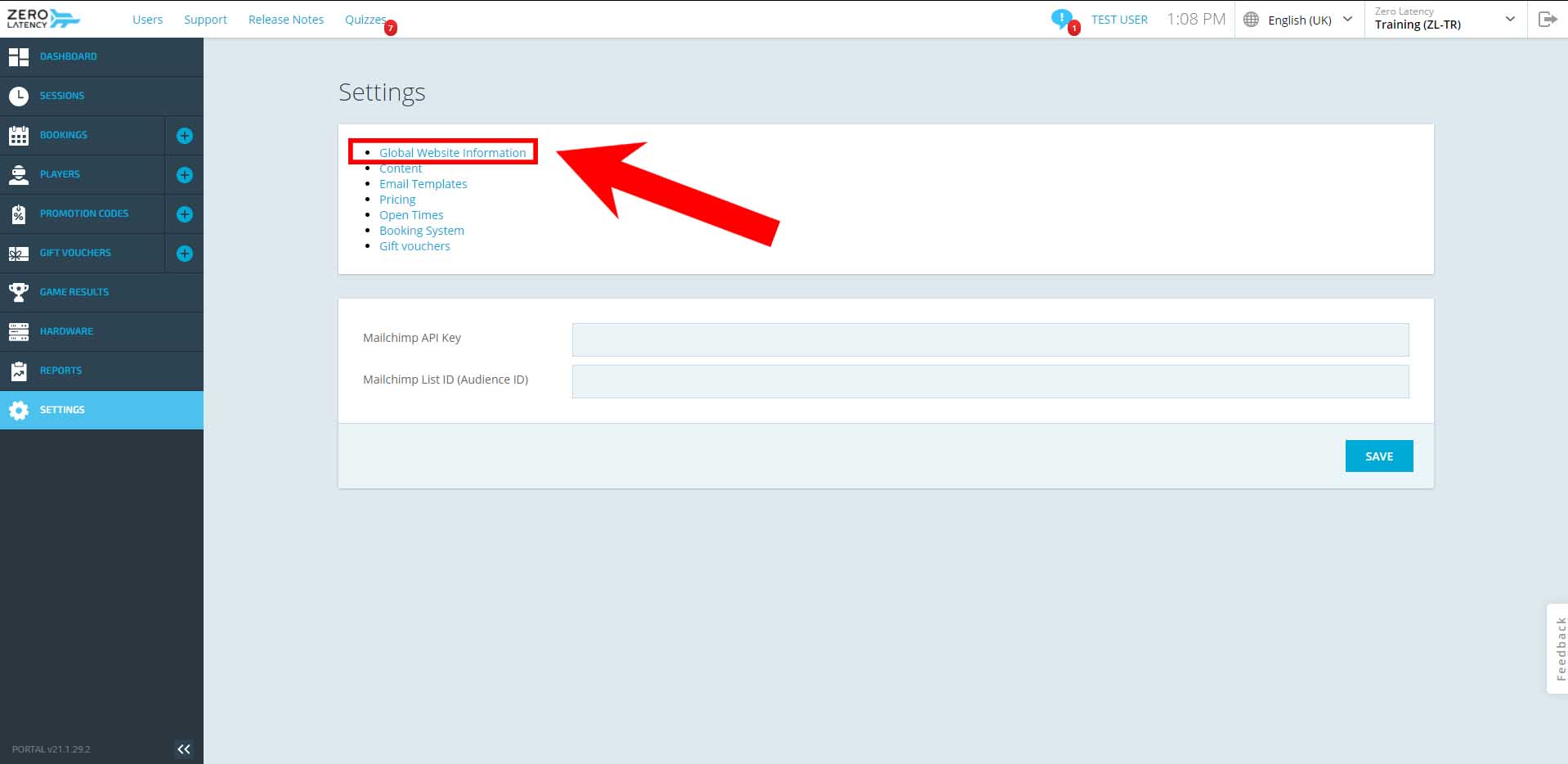
- If you have been given access, select "Global Website Information".
How do I set up the Global Website Information?
What is this section used for?
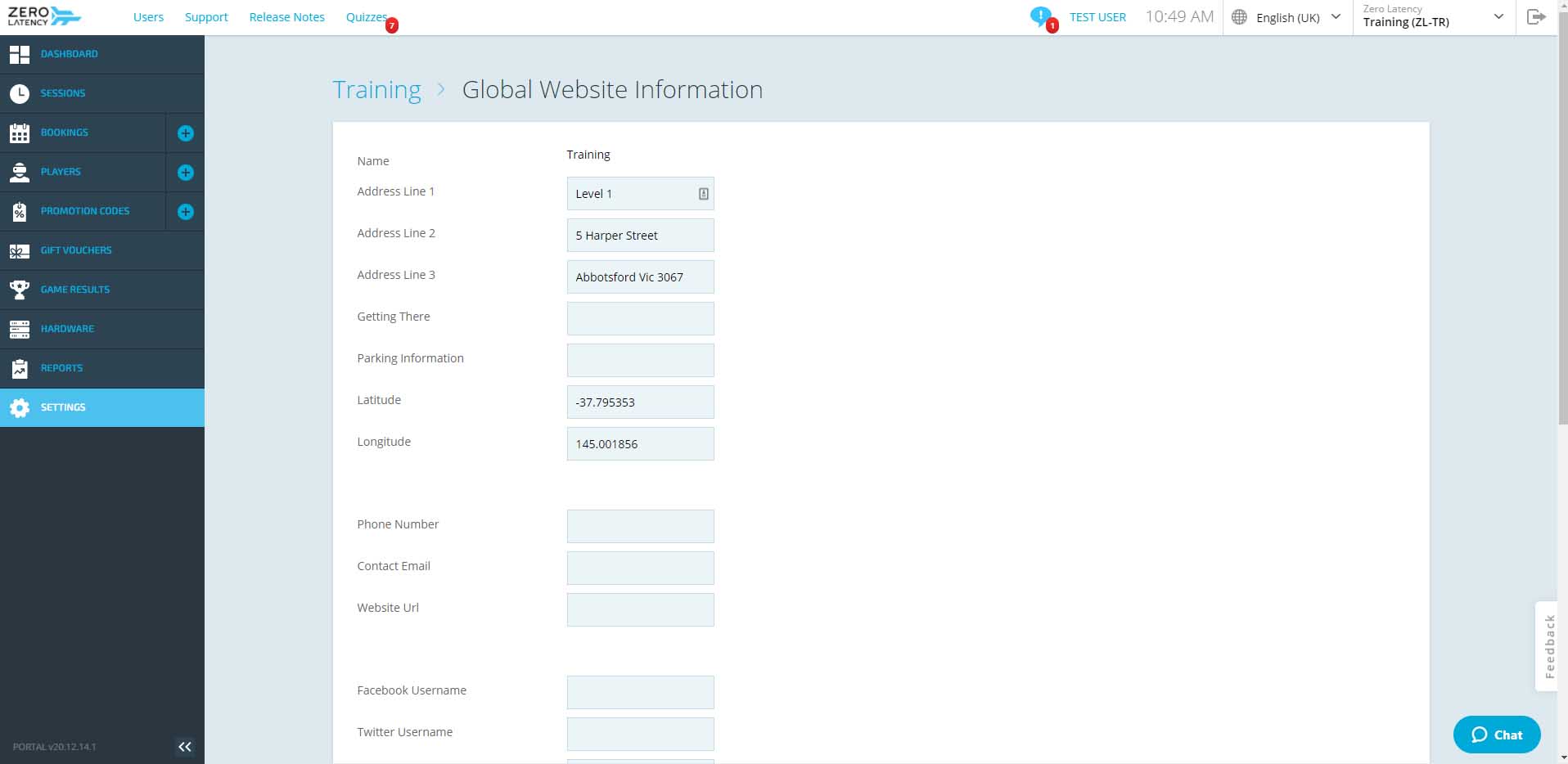
This section controls text portions of the Zero Latency Global Website, this means that if customers go to the main Zero Latency Website they can be directed to your specific site and information. This section contains the following:
- Address
- Getting There
- Parking Information
- Latitude (for Map)
- Longitude (for Map)
- Phone Number
- Contact Email
- Website URL
- Social Media Information
- Opening Hours
Caution
Changes to these fields will impact the Global Website page. Make sure everything is correct before you save
- Enter all the details you would like to appear on the Global Website and click the "Save" button when you are complete.
Info
You can leave the fields blank and they will not appear in the Global Website.
| Section | Details |
|---|---|
| Getting there | Enter any information that can help customers find the location |
| Parking Information | Enter any information about parking |
| Latitude | This can be found on google maps |
| Longitude | This can be found on google maps |
| Phone Number | Enter your site's phone number |
| Contact Email | Enter your site's email address |
| Website Url |
Enter your site's website Make sure is has the format: https://www.example.com |
| "Social" Usernames | Enter the usernames of your social media pages |
| Opening Hours | Enter your site's opening hours. For example, 5pm - 10pm or Closed |
| Address Line 1 | Enter the name of your venue. For example, Zero Latency Melbourne |
| Address Line 2 | Enter the number and street name |
| Address Line 3 | Enter the Suburb, state and postcode |
Warning
The address you enter into the Global Website Information section must match up with how it appears in Google Maps. If they are not the same, your map will not appear properly in the Zero Latency Global Website.
Article Keywords/Phrases:

Global Website Information
Comments
0 comments
Please sign in to leave a comment.