Bind the Controllers (Hand Tracker) Follow
Introduction
The following article will guide you with Binding the Hand Tracker Controller to the Headset.
Danger
This is not required if you are operating the Controller with the Wrist Tracker
Time Required
30 minutes
Tools Required
- Game Master Station
- HTC VIVE Headset
- Controller
Bind the Controller to the Headset
Bind the Controller to the Headset
- Turn on the controller and headset.
- Wait for the headset to load into the Launcher.
- On the top right of the Launcher select Hardware.
- Click on the headset you want to bind the controller to.
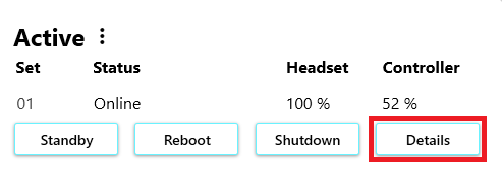
- Click on Details.
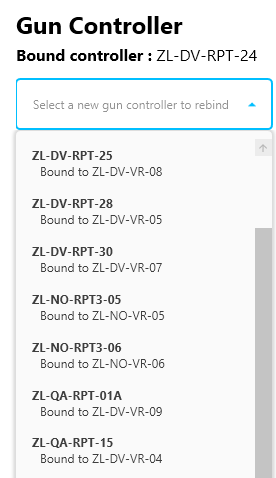
- Select the controller you want to bind to the headset.
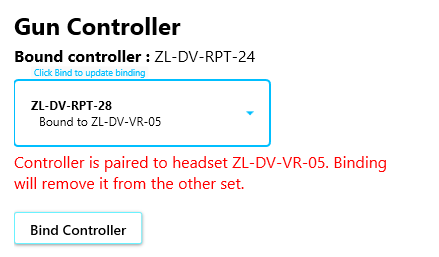
- Click on Bind Controller
Things to consider
- To be able to bind the controller you need to have both the headset and controller on.
- You can only have one controller bound to a headset.
Article Keywords/Phrases:
Binding
Connect Controller
Comments
0 comments
Article is closed for comments.