How do I access my tickets? Follow
Introduction
Follow this article if you would like to view all your, as well as your organization's tickets, in Zendesk. You will be able to see requests made by all members of your organization.
Who can use this feature?
Anyone who has an organization assigned to their account on Zendesk will be able to view their tickets, and tickets they're CC'd on. If you would like to be able to access all your organization's tickets, contact the Client Services team.
View all organization requests
View all tickets
- Navigate to Zendesk
- In the top right of the screen, select the drop down arrow next to your name, then select 'My Activities
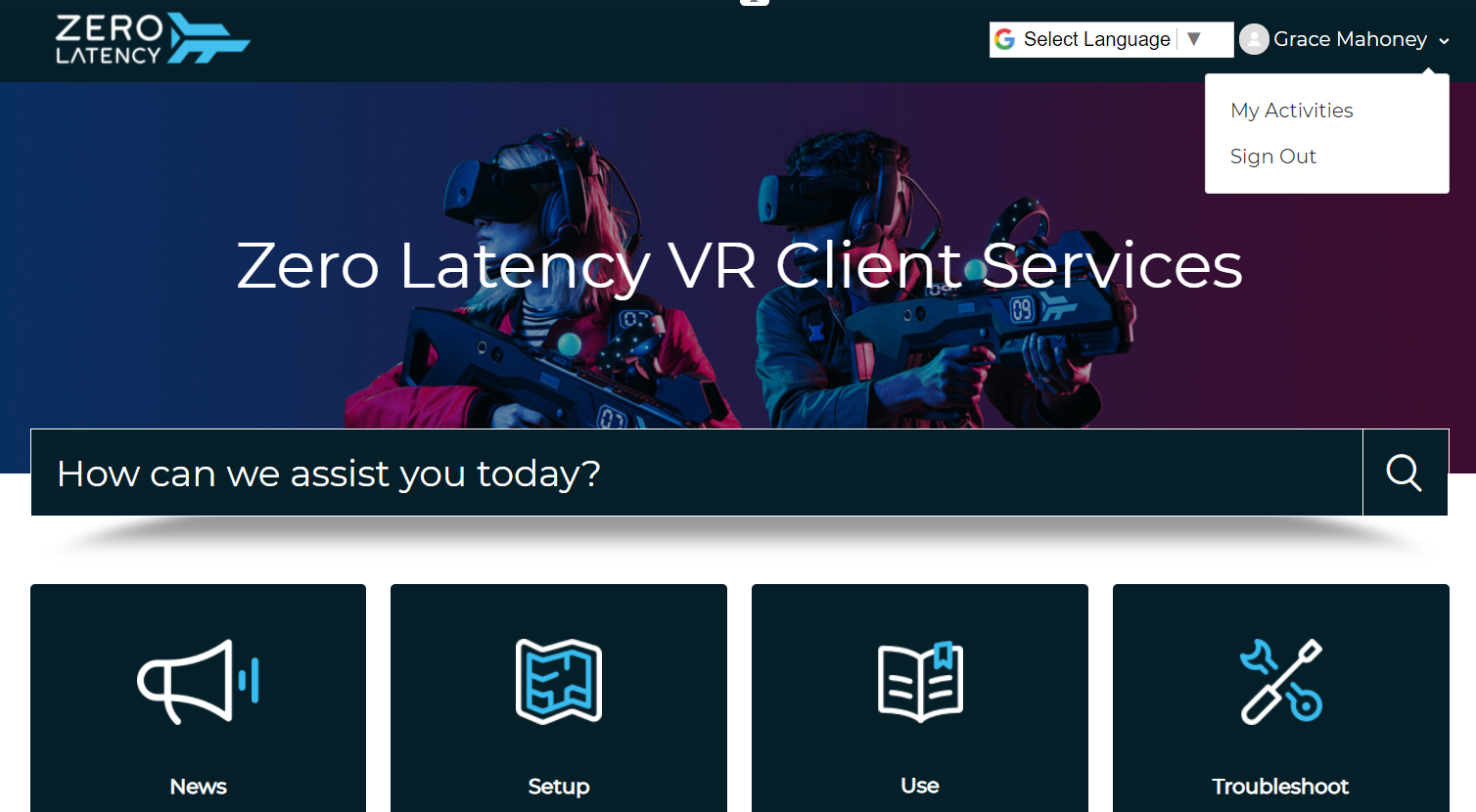
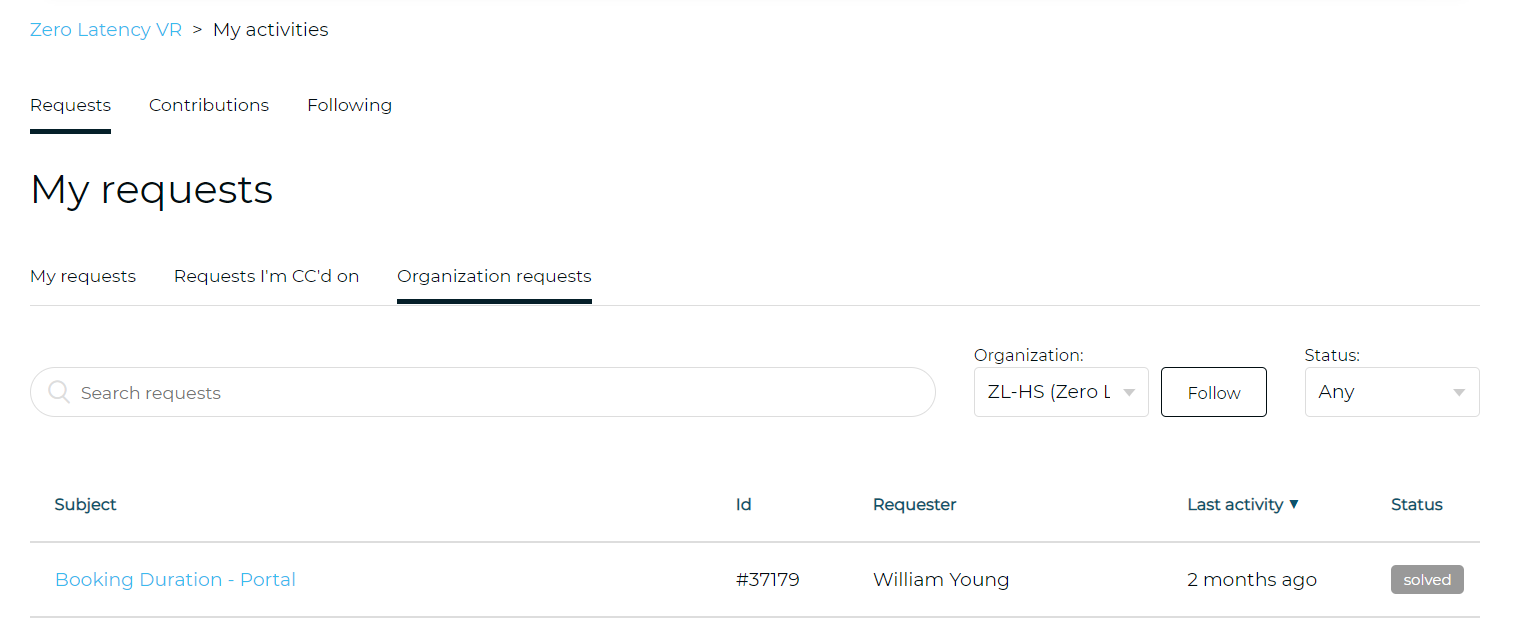
- You will see now see a dashboard that will open to a section named 'Requests' by default.
- Under 'Requests' you will see 3 options
- My requests
- Requests I'm CC'd on
- Organization requests
Note: you must be signed in on Zendesk to access this page
View your requests
- Select 'My Requests'
- You can now view all tickets you have lodged
View requests you're CC'd on
- Select 'Requests I'm CC'd on'
- You can now view all tickets you are CC'd on
View all organization requests
- Select 'Organization requests'
- You can now view all tickets from your organization
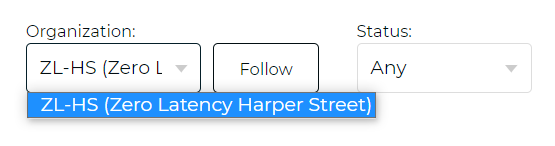
- If you are a member of multiple organizations, use the drop down menu to change which organization you wish to view
Article Keywords/Phrases:

Tickets
Requests
View tickets
Organization tickets
Comments
0 comments
Article is closed for comments.