Headset PPS Reference Follow
Introduction
This article is designed to help you troubleshoot problems with a Headset based on the PPS.
PPS Reference
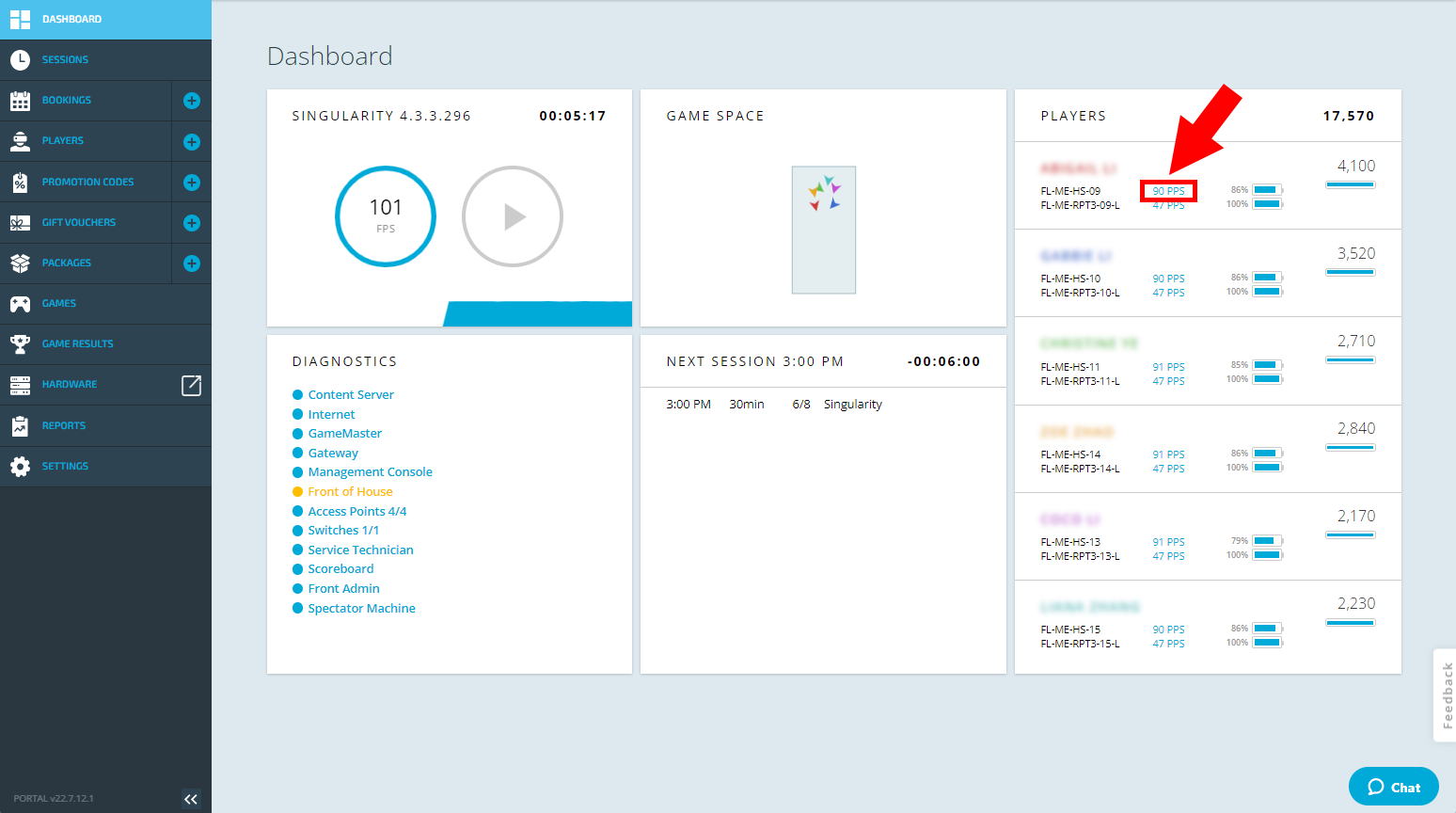
The FPS/PPS of the streaming server can be found in the Zero Latency portal dashboard as shown below.
This represents the frame rate of the game being rendered on the Streaming Server, minus any frames dropped due to network loss.
| PPS | Expected Player Experience | Possible Solution |
| 90 PPS | 5/5 (optimal performance) | - |
| 80-90 PPS | 4/5 (good performance) | Short dips below 90 PPS can occur in some areas of gameplay, such as when there are explosive barrels or too many other items in the player's view. This can cause a very minor impact on the player experience but is considered normal operation. |
| Less than 80 PPS | 2/5 (poor performance) | Any time that the PPS shown is consistently below 80 PPS during operations, indicates a potential issue with the streaming server. Please contact zero latency support for ongoing issues of low PPS. |
Article Keywords/Phrases:
PPS performance
FPS performance
Optimal
Motion sickness
Stuttering
Comments
0 comments
Article is closed for comments.