How do I log into Zendesk? Follow
Introduction
At this stage, the Portal and Zendesk are not linked with the same account. If you have an account for the Portal this does not mean you automatically have access to the Zendesk. You will need to follow the steps below.
What should I do if I don't have an account?
What should I do if I already have an account?
What should I do if I don't have an account?
If you do not have an account, Zero Latency Client Services will have to help you. Follow these steps below:
- Email Zero Latency Client Services: clientservices@zerolatencyvr.com
- Inform them of your full name, email address, role and site code.
- Zero Latency Client Services will reply to you with your account details.
What should I do if I already have an account?
If you have an account, follow the steps below:
- Click on the "Sign-In" button.
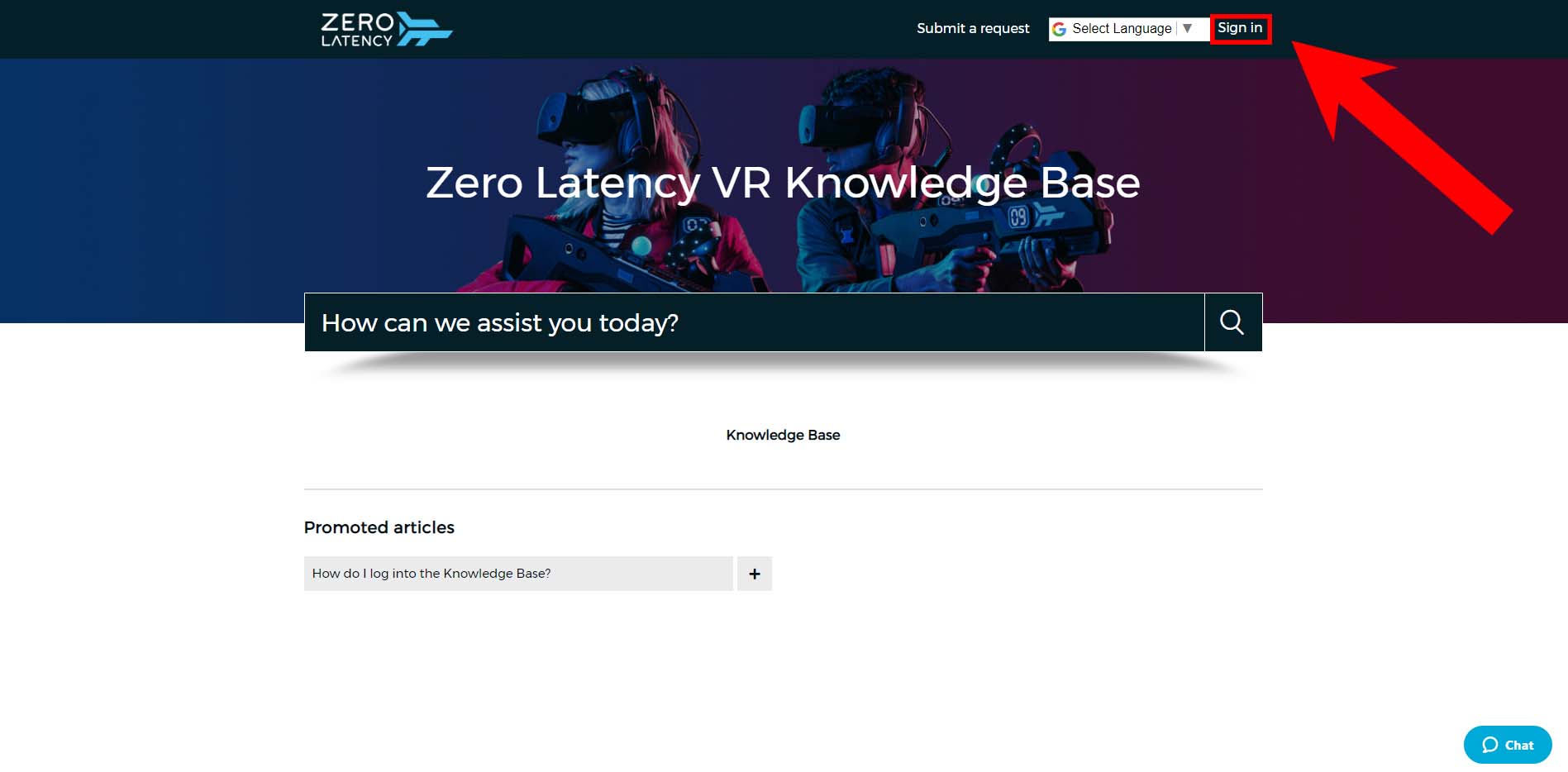
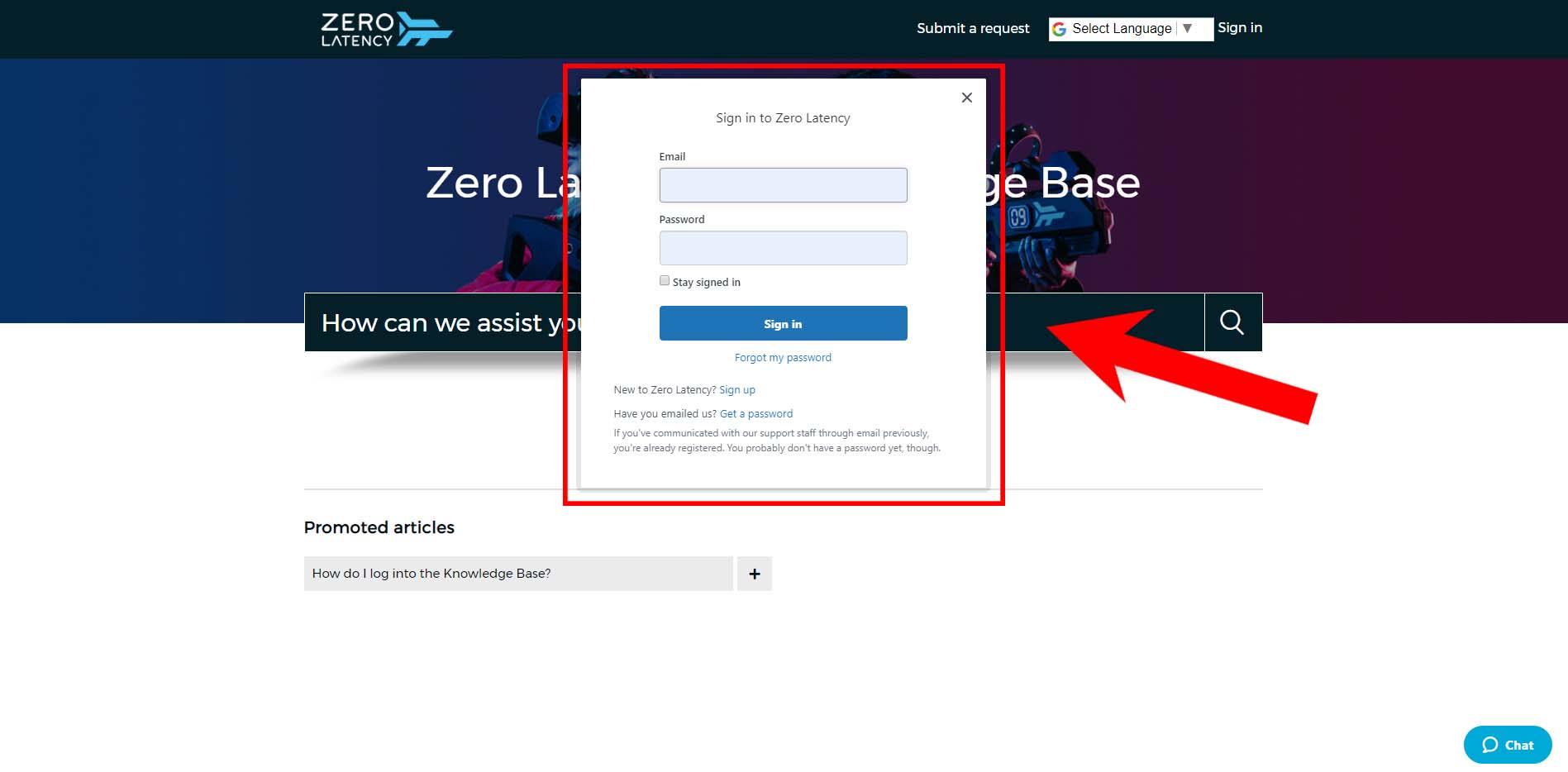
- If you have your username and password already, click the "Sign In" button.
- If your account has been made but you do not have a password, click the "Forgot my password" button. You will receive an email with your password.
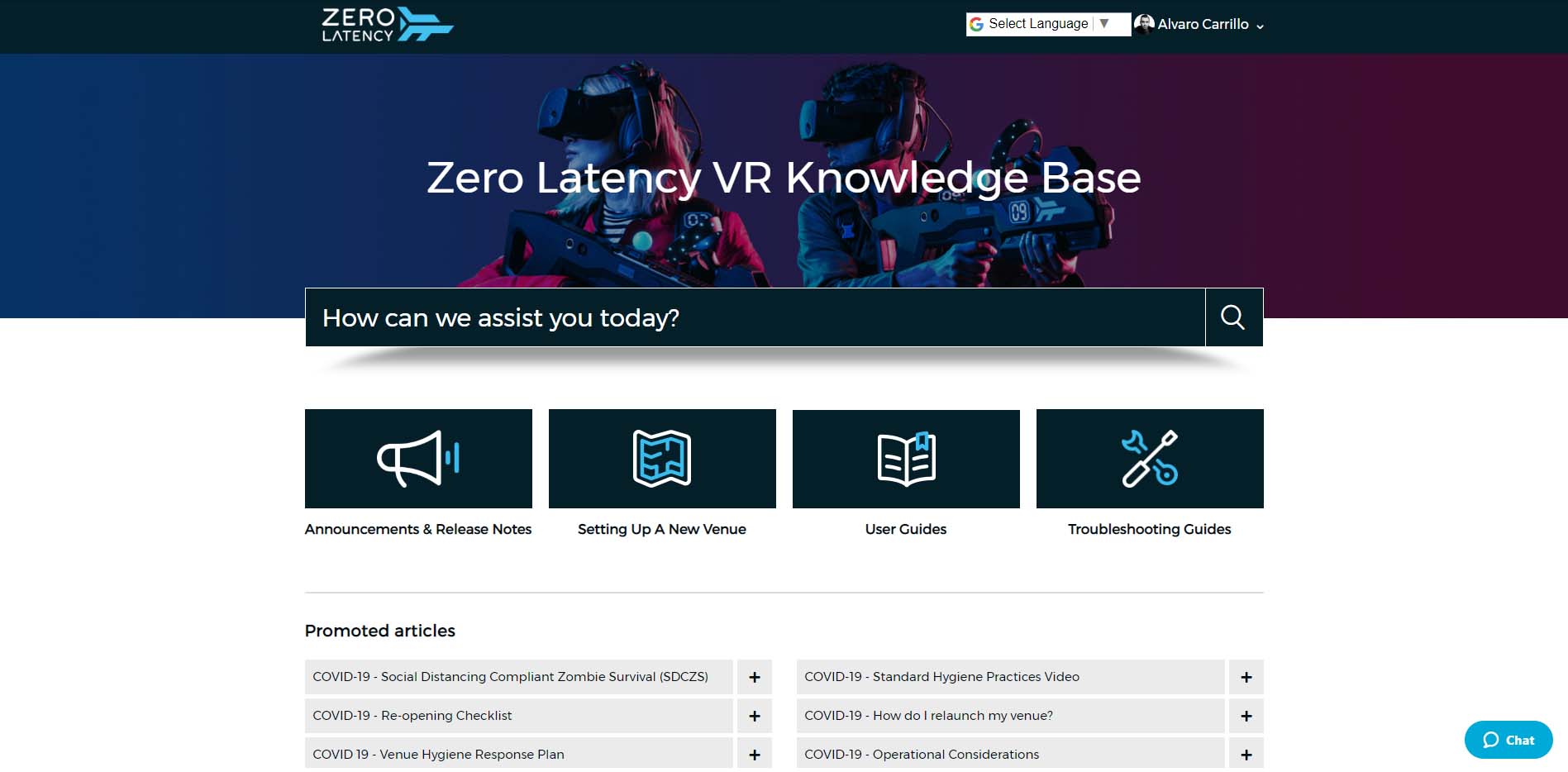
- You will now have access to Zendesk.
Article Keywords/Phrases:

Log into Zendesk Guide
Sign into Zendesk
Knowledge Base
Zendesk account
Comments
0 comments
Article is closed for comments.