How to set up Two-factor authentication in Portal Follow
Introduction
This article explains how you can add extra security to your Portal account by setting up Two-factor authentication.
Setting up Two-factor authentication
Setting up Two-factor authentication
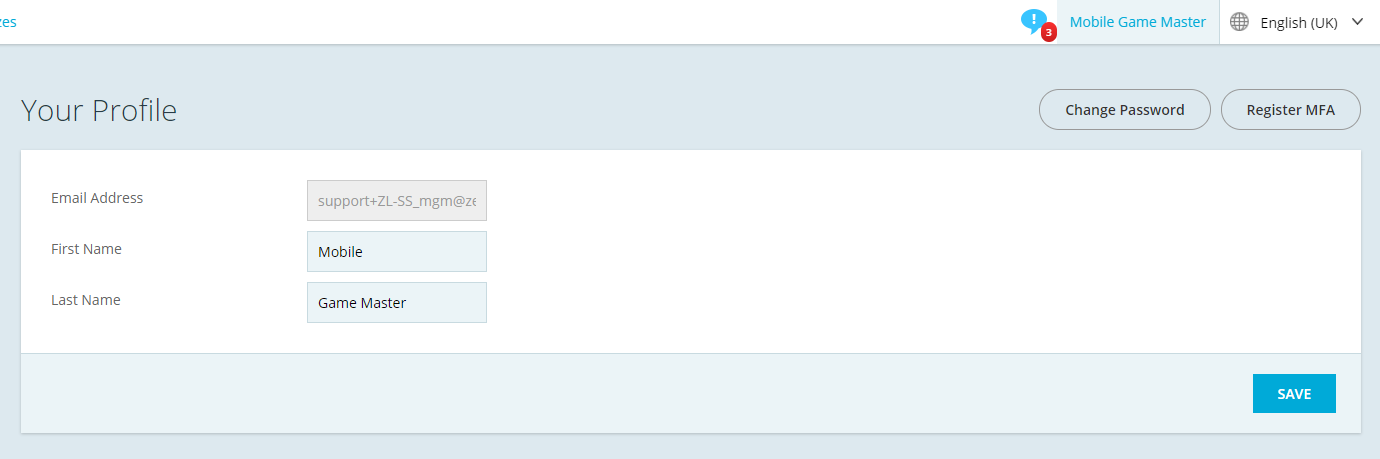
- Select your name at the top right of the Zero Latency Portal after signing in
- Click on Register MFA
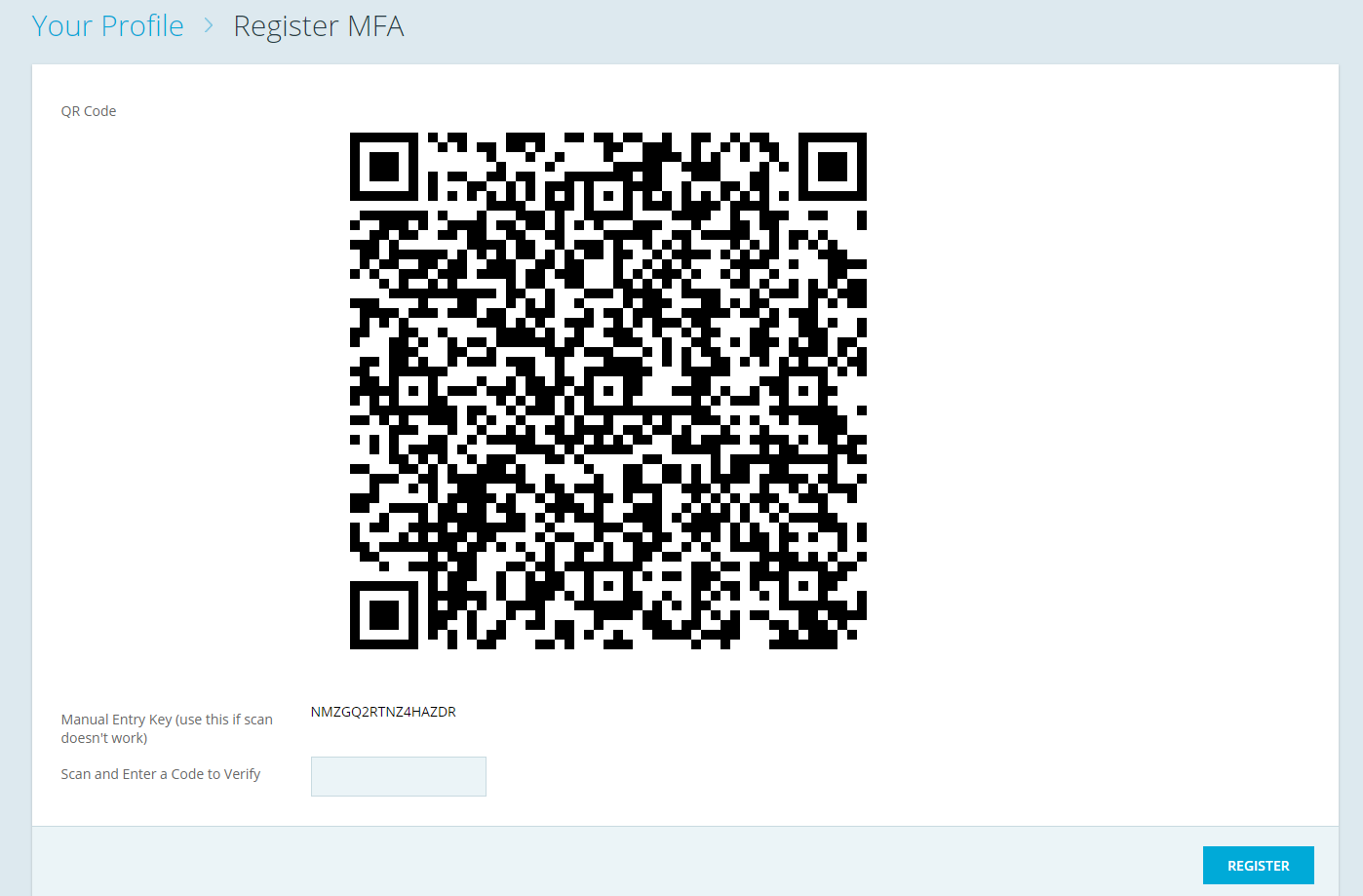
- Using Google Authenticator or any authenticator, scan the QR code and input the generated code and then click Register
- You have now successfully set up your Two-factor authentication!
Article Keywords/Phrases:

Security
Two-factor authentication
Google Authenticator
Comments
0 comments
Article is closed for comments.